
Rebranding
your name on every page.
Most of the brand is a setting in the operator console and applies at once. A few things (browser titles, favicons, languages, the optional landing page) live in the code and need a rebuild.
01In the console (no rebuild)
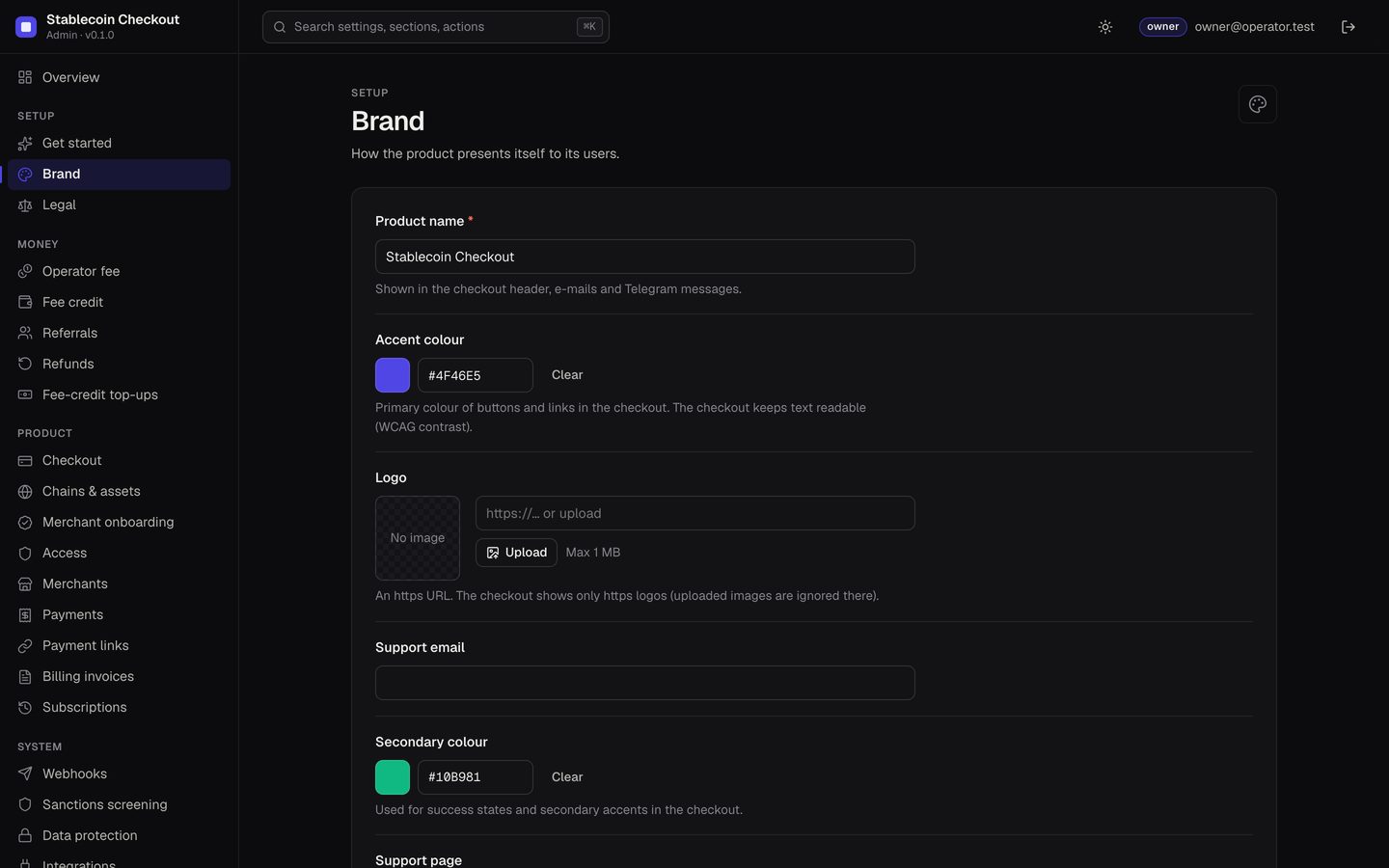
Console → Brand and Legal. The checkout reads them from /public/config, so a change shows on the next page load.
| Field | Where it shows |
|---|---|
| Name | Checkout header, e-mails, Telegram messages. |
| Accent colour | Buttons and links. The checkout adjusts text so it stays readable (WCAG contrast). |
| Secondary colour | Success states and secondary accents. |
| Logo | An https URL. Uploaded images are ignored by the checkout; host the logo on your own domain. |
| Support e-mail, Support page | Next to each other on the checkout. |
| Show "Powered by" line | On or off. |
| Terms URL, Privacy URL, Footer line | Checkout footer. The footer line is cut at 160 characters. |
Each merchant's own name appears on its invoices and in the portal; merchants set it when they sign up or you set it on the Merchants page.
02Theme and languages
Console → Checkout: Theme (system, light, dark), Languages (English, Slovenčina) and Default language. Adding a new language is a code change: the checkout's strings are in apps/checkout/src/i18n/ and the portal's in apps/portal/src/i18n/ (en.ts, sk.ts); the language list is part of the code and the console options. Not verified A third language has not been added and tested by MIKODES.
03In the code (rebuild)
| What | File |
|---|---|
| Browser title of the checkout ("Secure checkout") | apps/checkout/index.html |
| Browser title of the merchant portal ("Merchant portal") | apps/portal/index.html |
| Browser title of the interim portal ("Console") | apps/admin/index.html |
| Favicons | apps/checkout/public/favicon.svg, apps/portal/public/favicon.svg, apps/admin/public/ |
Then rebuild the web apps (pnpm run build:web, or up -d --build web with Docker).
The package contains no marketing page. If you want a public page for your own service, serve your own static site from SITE_DOMAIN, or leave SITE_DOMAIN empty and publish nothing there.
04Your domains
Customers see the checkout domain (PAY_DOMAIN) in the address bar and on every payment link; merchants and your team use the admin domain. Choose names that carry your brand, and set PUBLIC_CHECKOUT_URL and PUBLIC_ADMIN_URL to match (Configuration).