
● Set up · Your control centre
Operator console
every section explained.
The console at /admin is where you run the business: merchants, fees, fee credit, branding, checkout behaviour, chains, webhooks, sanctions, team and audit. It is built on the MIKODES Admin Kit and served by the server itself.
01Signing in and roles
- Address:
https://admin.example.com/admin/. Behind the provided Caddyfile, the console, product pages and operator API are not reachable on the checkout domain (they answer 404 there), and you can restrict the admin domain to your IPs withADMIN_ALLOW_IPS. - The first account is the owner, created with the one-time setup code from the server log (how). Invite others under Team.
- Console members have a role. Some settings are owner-only (sanctions mode, data protection). Revealing masked addresses, exports and the audit CSV are owner-only in the Admin Kit.
- The console needs
ADMIN_SECRET_KEY; without it/adminis off.
02Overview, revenue and status
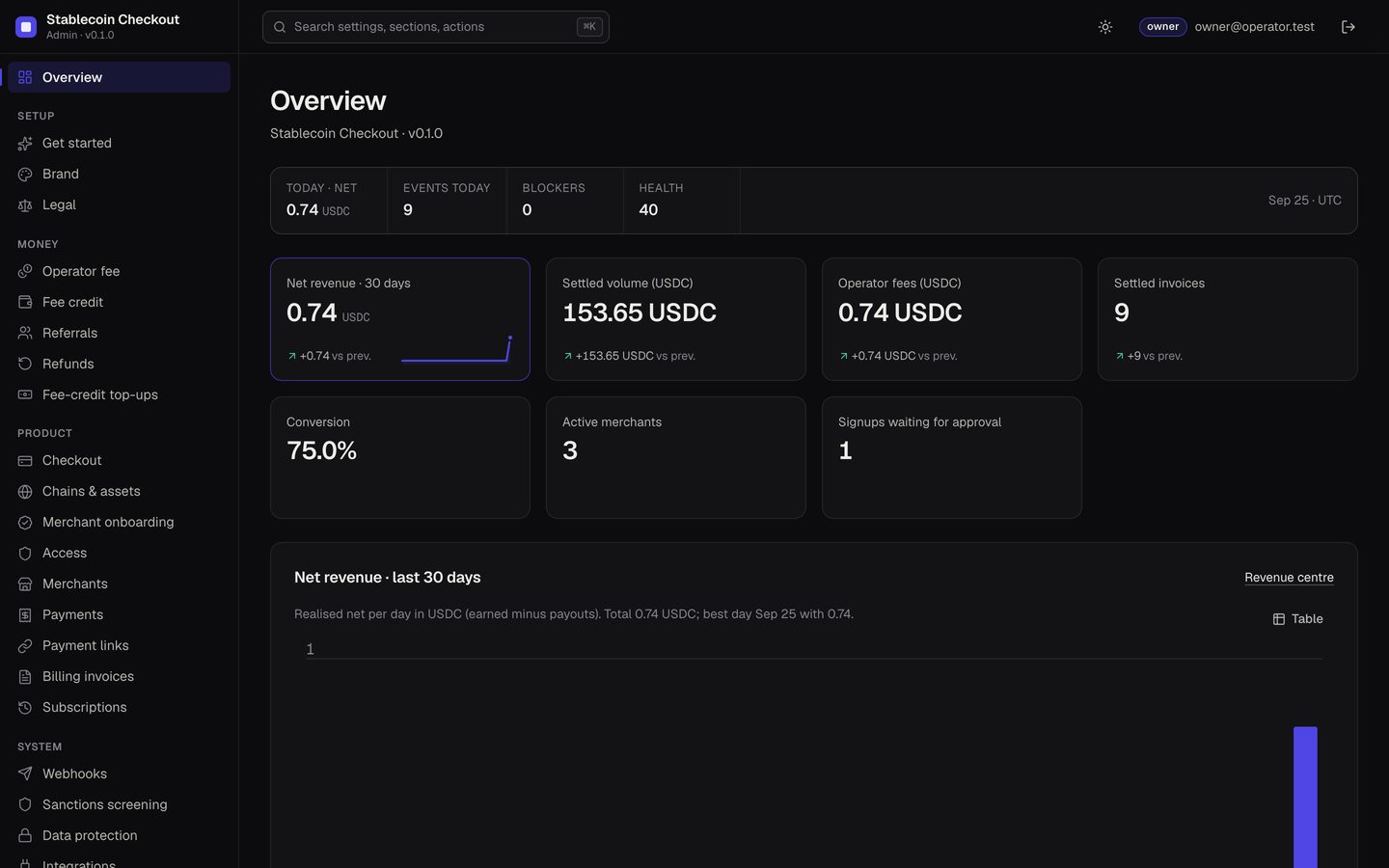
- Overview: today's net, events, blockers and health; cards for net revenue, settled volume (USDC and USDT), operator fees, settled invoices, conversion, active merchants and signups waiting for approval.
- Revenue: realised revenue only, each line with a reference. Two sources: Wallet-pay fee (on-chain split) and Exchange-pay fee (credit debit). An unmeasured value shows "—", never an estimate.
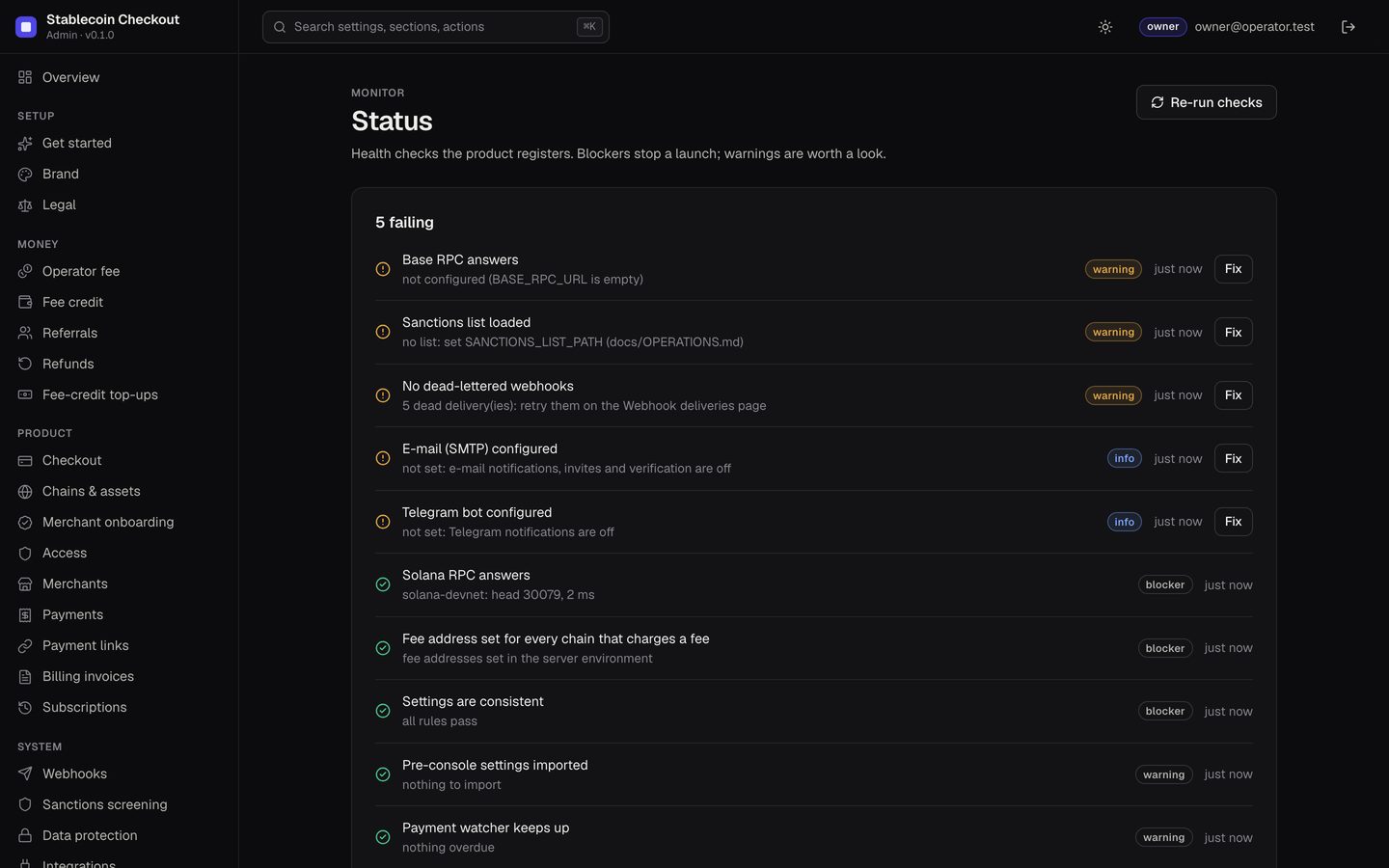
- Status: the checks below, each with a severity. Fix blockers first.
| Check | Severity |
|---|---|
| Solana RPC answers | blocker |
| Fee address set for every chain that charges a fee | blocker |
| Settings are consistent | blocker |
| Base RPC answers | warning |
| Pre-console settings imported | warning |
| Sanctions list loaded | warning |
| Payment watcher keeps up | warning |
| No dead-lettered webhooks | warning |
| E-mail (SMTP) configured | info |
| Telegram bot configured | info |
03Setup: brand and legal
| Field | What it does |
|---|---|
| Name | Shown in the checkout header, e-mails and Telegram messages. Default "Stablecoin Checkout". |
| Accent colour, Secondary colour | Buttons, links and success states in the checkout. The checkout keeps text readable (WCAG contrast). |
| Logo | An https URL. The checkout shows only https logos. |
| Support page, Show "Powered by" line | Support link next to the support e-mail; the optional "Powered by" line. |
| Terms URL, Privacy URL | https only. |
| Footer line | One short line under the checkout, at most 160 characters. Say that payers keep their keys. |
Details and screenshots: Rebranding.
04Money: fee, fee credit, referrals
All money settings start off and have hard caps. They are explained step by step in Setting up earnings.
| Section | Fields |
|---|---|
| Operator fee | Default fee for new merchants (bps, default 0), Minimum and Maximum merchant fee, Volume tiers (up to 20). Hard cap 1000 bps (10 %). |
| Fee credit | Low balance warning (default 5), Maximum balance (default 2000), in stablecoin units. |
| Referrals | Share of your fee for the referrer (default 0, cap 5000 bps = 50 % of your fee, one tier), Reward period in months (default 12). Payouts are manual and off-chain. |
| Refunds, Fee-credit top-ups | Product pages: refunds merchants sign from their own wallets; prepaid credit merchants send to your address. |
05Product: checkout, chains, onboarding, access
| Field | What it does | Default |
|---|---|---|
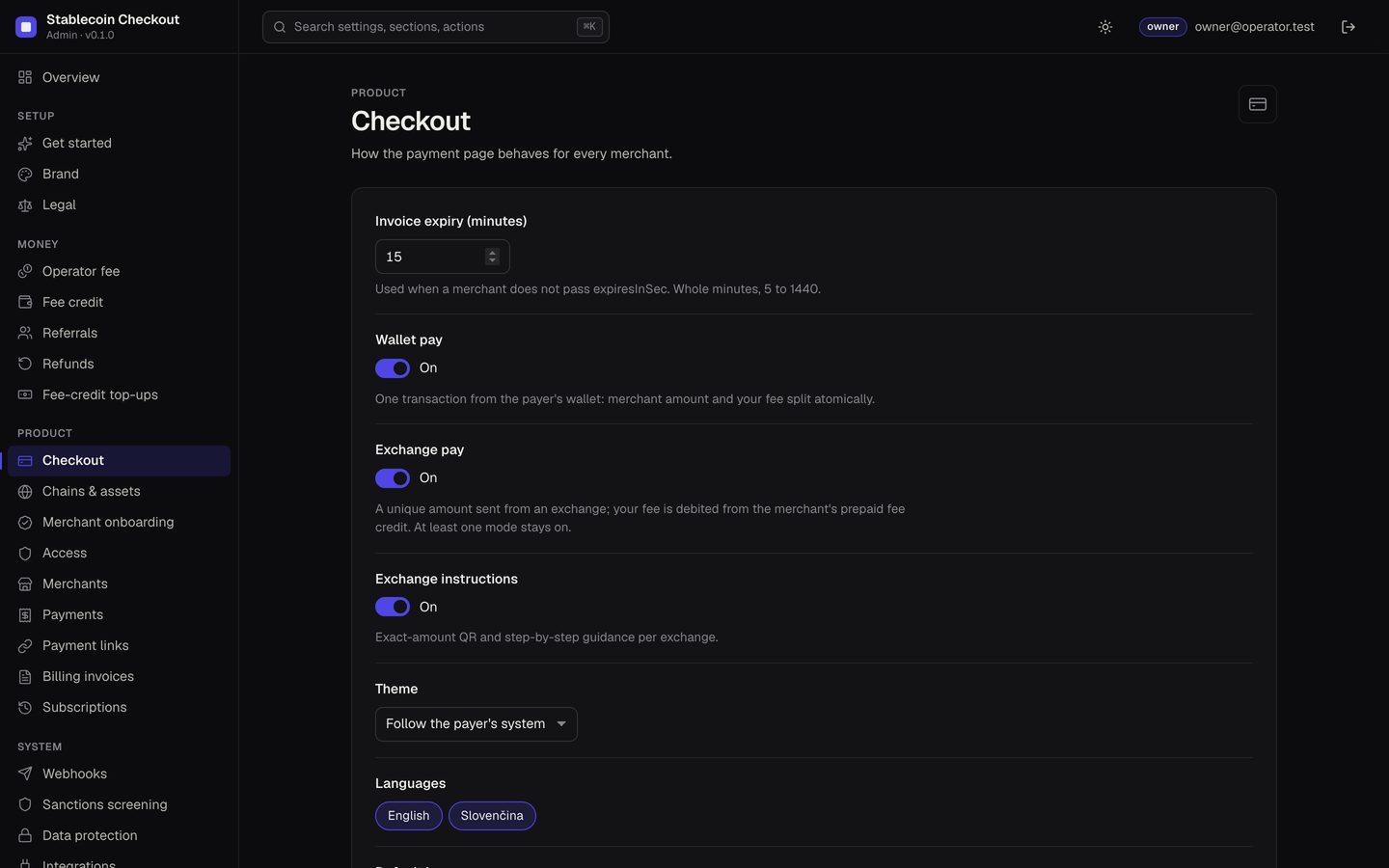
| Invoice expiry (minutes) | Used when a merchant does not pass expiresInSec. 5 to 1440. | 15 |
| Wallet pay, Exchange pay | Which payment modes the checkout offers. At least one stays on. | on, on |
| Exchange instructions | Exact-amount QR and step-by-step guidance per exchange (Binance, OKX, Bybit). | on |
| Theme | Follow the payer's system, Light or Dark. | system |
| Languages, Default language | English and Slovenčina. | en + sk, en |
| Redirect after payment (seconds) | 0 shows a button instead of redirecting. 0 to 30. | 5 |
| Chains & assets | Per chain with an RPC configured: on/off and which assets merchants may invoice (Solana: USDC, USDT on mainnet; USDC on devnet. Base: USDC). | all on |
| Self-signup, Approve new merchants | Merchant onboarding. Pending merchants cannot create invoices until you approve them. | off, on |
| Maintenance mode, message | Merchants cannot create new invoices (API answers 503 maintenance). Open invoices still settle. | off |
06Product pages
| Page | What you do there |
|---|---|
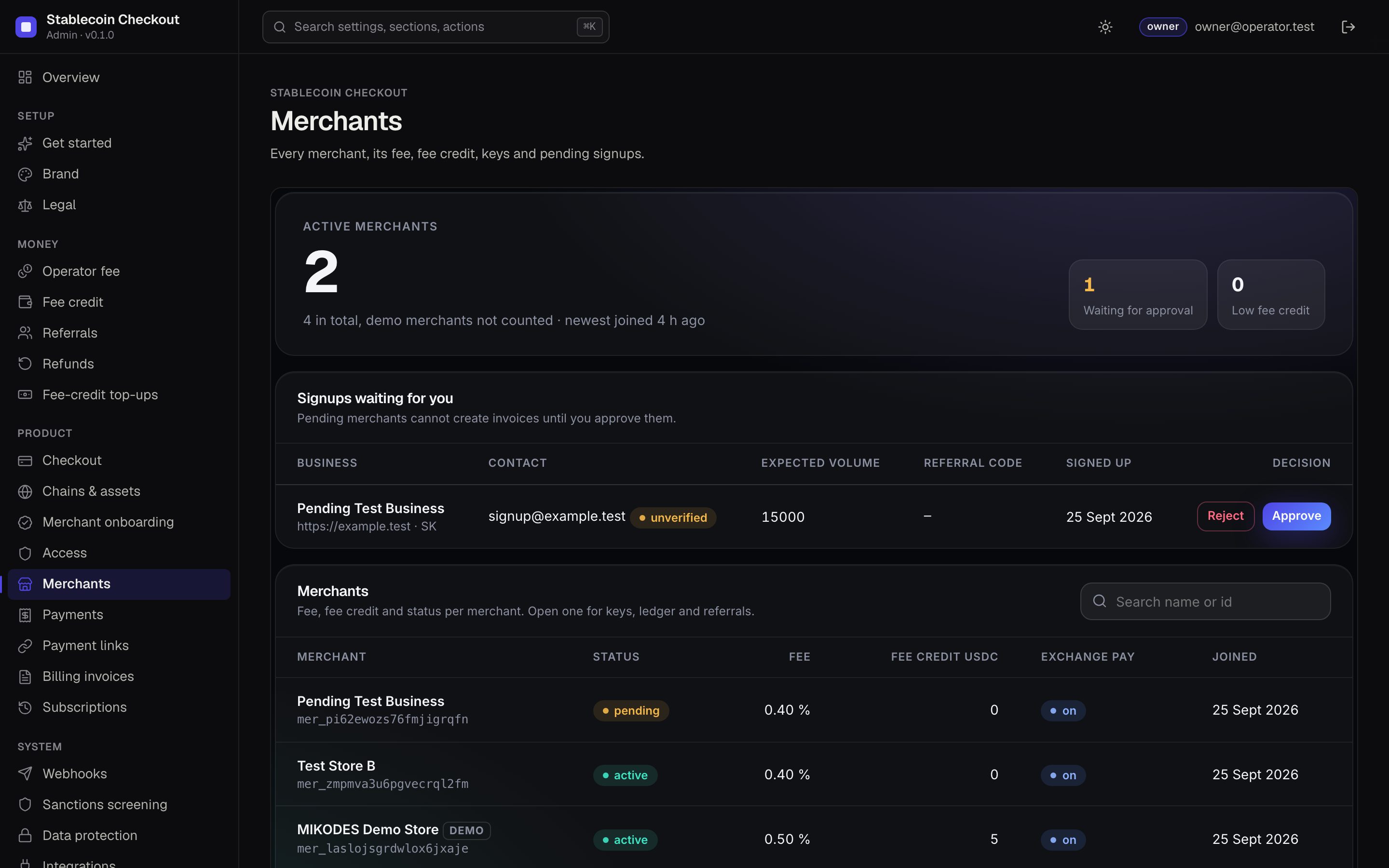
| Merchants | Every merchant with its fee, fee credit and keys; approve or reject pending signups. Merchant detail: fee and fee mode, exchange pay and active toggles, key and webhook-secret rotation, fee-credit ledger with manual records, top-ups, referrals. |
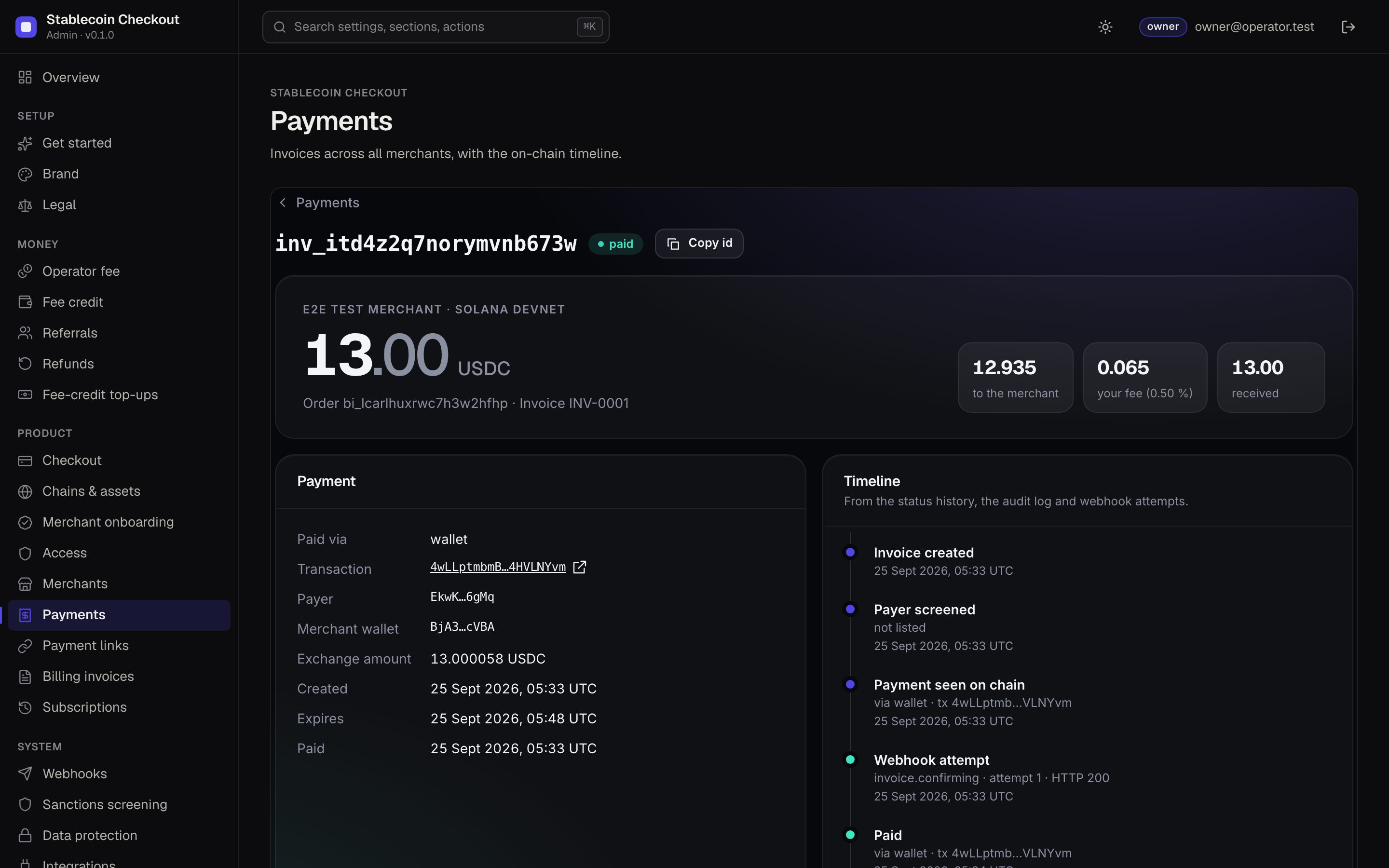
| Payments | Invoices across all merchants with filters, search and CSV; payment detail with the on-chain timeline, refunds and webhook deliveries. |
| Payment links, Billing invoices, Subscriptions | What merchants created: reusable links, customer invoices, recurring billing (without token allowances). |
| Refunds, Fee-credit top-ups | See Money above. |
| Webhook deliveries | Signed deliveries to merchant endpoints, with payload and attempts; retry dead ones. |
07System: webhooks, sanctions, data protection, integrations
| Field | What it does | Default |
|---|---|---|
| Attempts before dead letter | 1 to 12. | 8 |
| Timeout per attempt (ms) | 1000 to 30000. | 10000 |
| Sanctions mode owner | Flag (a listed payer marks the invoice flagged) or Off (no screening, logged loudly). Needs a list, see Sanctions list. | Flag |
| Reveal needs a reason owner | Revealing a masked payer or payout address needs a written reason, stored in the audit log. | on |
| Require two-factor for portal operator accounts owner | Applies to operator accounts of the platform API (/v1/auth). Console members use the kit's own two-factor rule under Security. | off |
| Telegram bot token, SMTP URL, E-mail sender | Write-only secrets with a connection test. Enable Telegram and e-mail notifications, invites and verification. | empty |
08Team, security and audit
- Team: invite members and set their role.
- Security: your password, two-factor and sessions.
- Audit log and History: every settings change, with who, when and the previous value. Product actions are also written to the server's own append-only, hash-chained audit ledger (
GET /v1/operator/auditreportschainIntact). - Export: settings export and import (owner).