Setting up earnings
how the fee reaches you.
The revenue mechanisms that exist in the code: a platform fee in basis points on every payment, collected on-chain in wallet pay and from prepaid fee credit in exchange pay, with optional volume tiers and a referral share. A fresh install charges nothing until you set it.
01How the fee reaches you
| Mode | Where your fee comes from | You need |
|---|---|---|
| Wallet pay, Solana | Two SPL transfers in the payer's one transaction: amount − fee to the merchant, fee to your address. | OPERATOR_SOLANA_ADDRESS |
| Wallet pay, Base | MikodesPayRouter.pay(): two transferFrom calls in one transaction. The router has no owner and holds nothing. | OPERATOR_BASE_ADDRESS and a deployed router (how) |
| Exchange pay | The customer sends a unique amount to the merchant. When the invoice settles, its fee is debited once from the merchant's prepaid fee credit. | Merchants that hold fee credit |
Changing a fee address applies to new invoices. An existing invoice keeps the fee address and fee it was created with.
02Set the fee
- Set your fee addressesIn the server env:
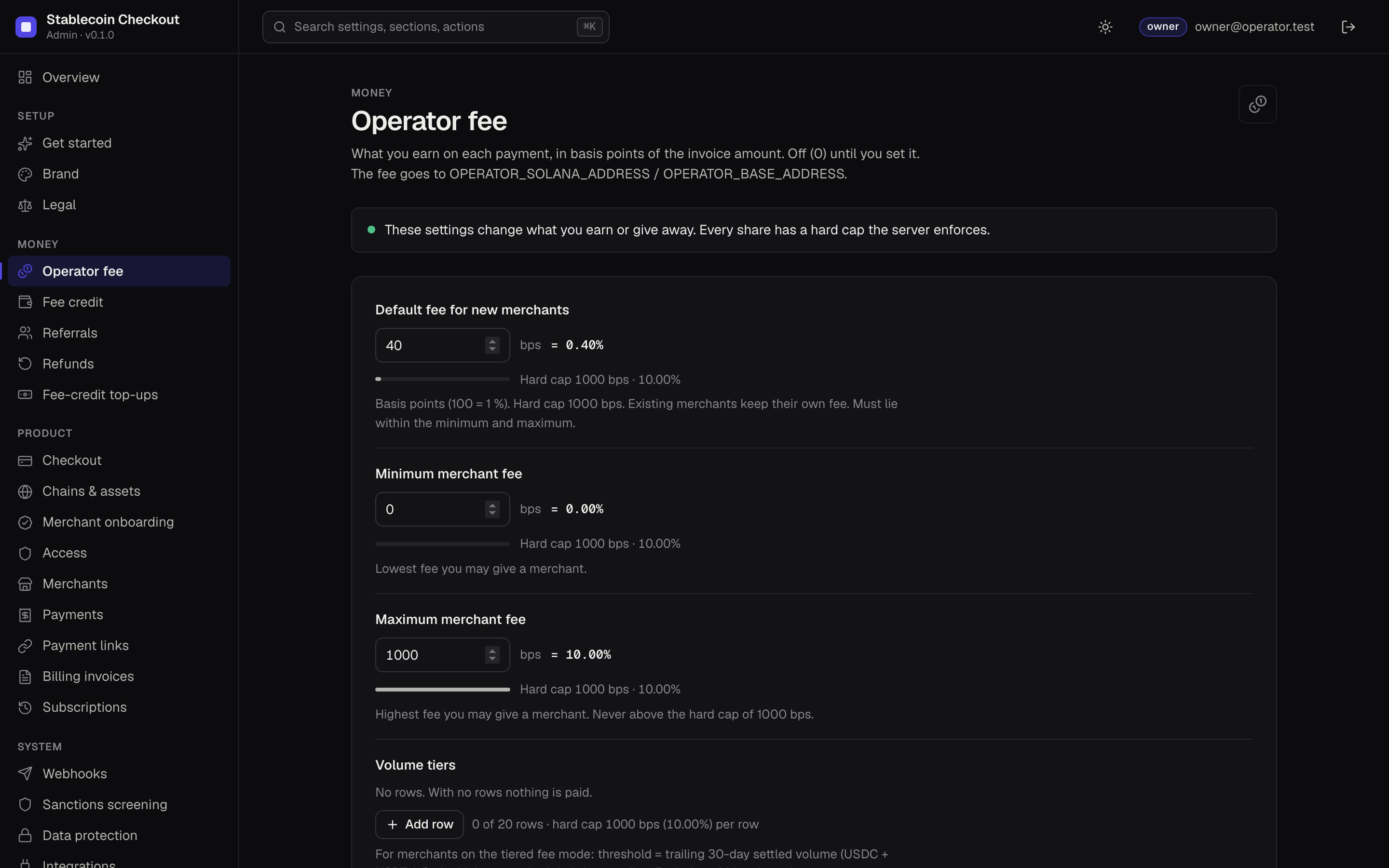
OPERATOR_SOLANA_ADDRESSand, with Base,OPERATOR_BASE_ADDRESS(public addresses only). Restart. Console → Status shows a blocker while a chain that charges a fee has no address. - Choose the default feeConsole → Operator fee → Default fee for new merchants, in basis points (100 bps = 1 %). It starts at 0. The hard cap is 1000 bps (10 %); the console refuses more.
- Set the allowed rangeMinimum and Maximum merchant fee limit what you may give any single merchant. The default must lie between them.
- Adjust per merchantConsole → Merchants → a merchant → fee. Existing merchants keep their own fee when you change the default.
That is a business decision. A worked example, not a forecast: a merchant settling $50,000 a month at 0.5 % (50 bps) pays $250 a month in fees; 20 such merchants pay $5,000 a month. With no merchants you earn nothing; finding merchants is the real work.
03Volume tiers
For merchants on the tiered fee mode (set on the merchant), Console → Operator fee → Volume tiers applies the bps of the highest tier the merchant reached, measured as trailing 30-day settled volume (USDC and USDT counted 1:1). Up to 20 tiers, each within the minimum and maximum. Merchants on the fixed mode keep their own fee.
04Fee credit for exchange pay
- Credit is kept per asset (USDC, USDT) in 6-decimal units. An exchange-pay invoice that settles (paid or overpaid) debits its fee once.
- When a merchant's credit is below an invoice's fee, the checkout stops offering exchange pay for that merchant. Wallet pay keeps working.
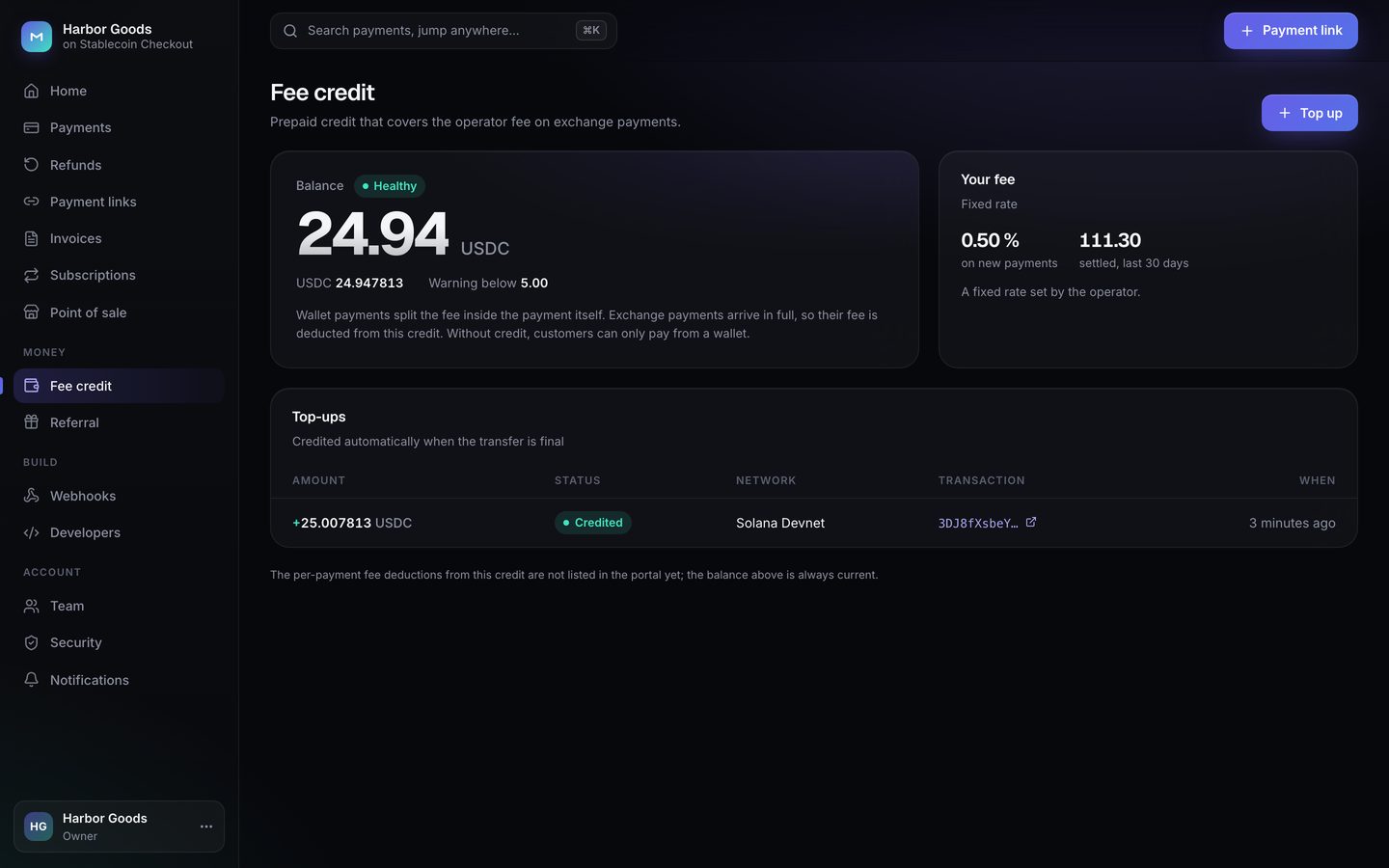
- Merchants top up from the portal (Fee credit): a top-up is a payment to your fee address, recorded in the fee-credit ledger with its transaction hash. You can also record credit by hand (Console → Merchants → merchant) or with
POST /v1/operator/merchants/:id/credit. - Console → Fee credit: Low balance warning (default 5; merchant and you are notified below it) and Maximum balance (default 2000; caps each top-up and the balance per asset).
The legal status of prepaid credit depends on your jurisdiction. Take advice before you sell credit to real merchants.
05Referral share
Console → Referrals: a share of your fee accrues to the merchant who referred another merchant, on each settled invoice of the referred merchant, for the Reward period (default 12 months). The share starts at 0; the hard cap is 5000 bps (50 % of your fee). One tier only. Payouts are manual and off-chain: the console records what is owed, you pay it.
06Where you see what you earned
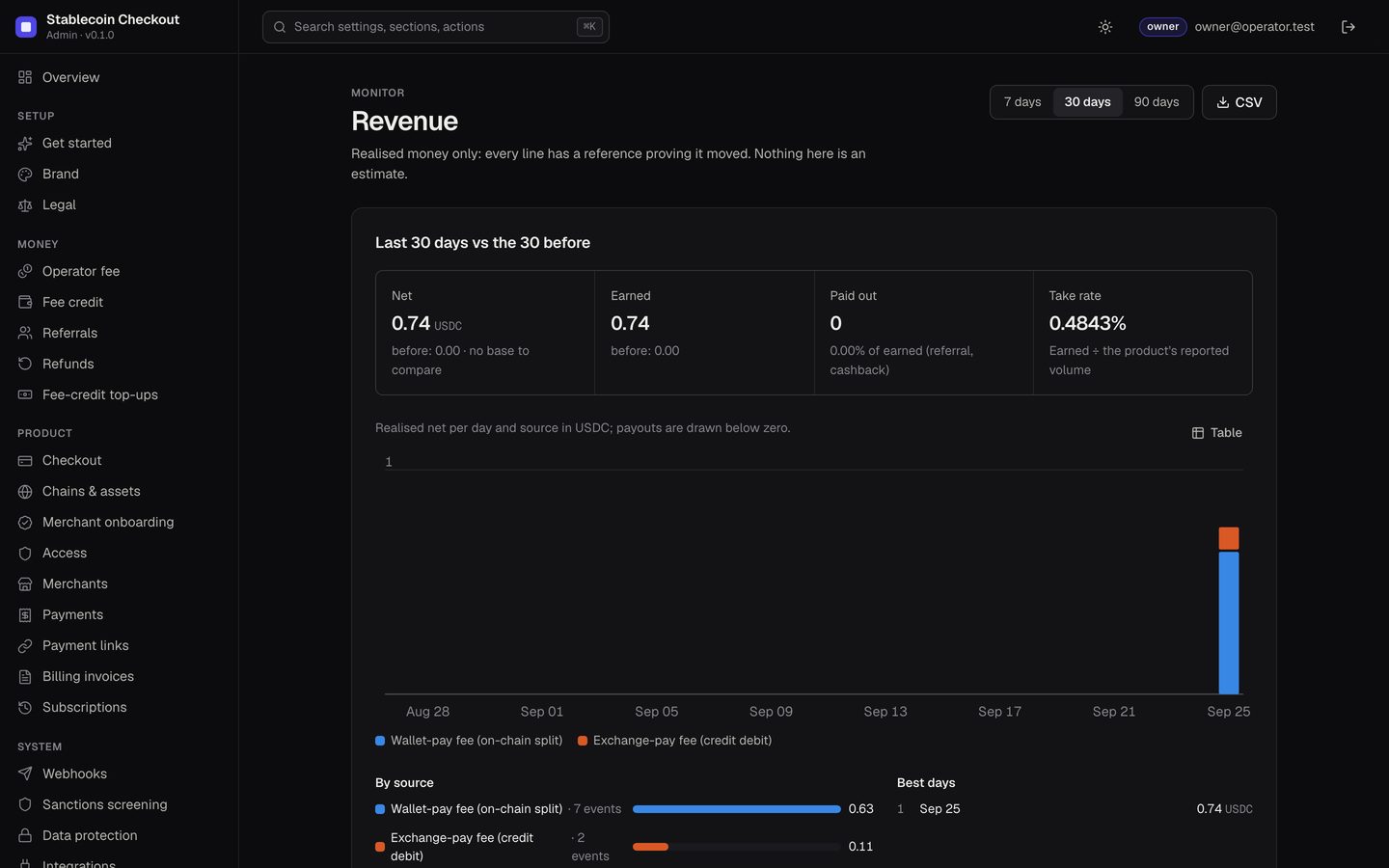
Console → Revenue and Overview show realised revenue only, split into Wallet-pay fee (on-chain split) and Exchange-pay fee (credit debit), each line with a reference. Fee totals by mode and asset are also at GET /v1/operator/revenue. The fee itself lands in your wallet; the console only reports it.